


PeekMeet - Local Dating & Chat
4.853.00 Reviews
App Specs
- Version
- 1.0.0
- Updated On
- License
- Free
- Downloads
- 10,000+
- Developer
- Too sweet LLC
- Categories
- Social
- Platform
- Android
Screenshots

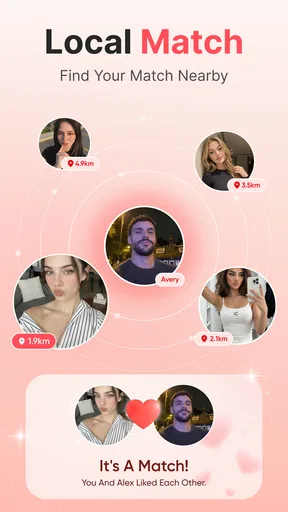
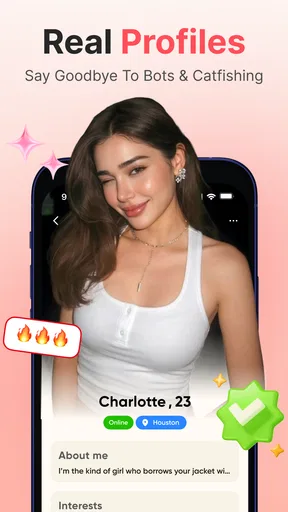
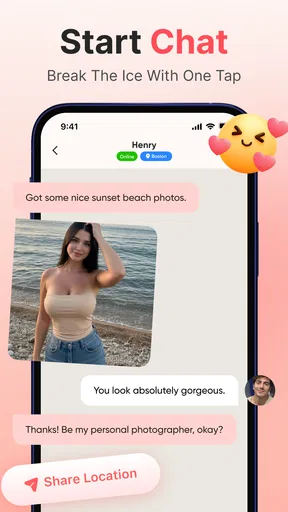
 Analysis by AppCompare
I approached PeekMeet as a dating app for people who want local conversations to begin with less pressure than a formal matchmaking service. Its focus is simple: discover nearby singles, open a chat, and decide whether the conversation feels natural. That narrow purpose is useful, especially if you prefer meeting people through short exchanges rather than filling out a long personality profile first.
My overall impression is positive but measured. The app feels most suitable for someone who wants a straightforward social space for local dating and is comfortable taking responsibility for setting boundaries, checking compatibility, and moving slowly. It is free to install, carries a Mature 17+ rating, and is developed by Too sweet LLC. The current release is version 1.0.0, so I would treat it as an early product rather than a fully established alternative to every major dating platform.
How PeekMeet feels to use in everyday dating
I find that everyday dating with PeekMeet is best approached as a small, intentional check-in: I can decide whether I have the energy to browse or start a conversation, rather than letting the app set the pace for me. That distinction matters when local chats begin competing with work, plans, and downtime. It also leads to the bigger question of whether the first-week appeal can turn into a habit that still feels worthwhile later.
Readability and navigation during a quick session
The strongest part of the concept is that the purpose is easy to understand. You are not trying to manage a professional network, a large community forum, and a dating profile at the same time. The path from looking at local people to starting a conversation is the central experience, which makes the app approachable for anyone who dislikes crowded social platforms.
I found that this kind of focused design matters when you are using a dating app in short bursts. A person might check it during a commute, after work, or while waiting for a friend. The less mental effort required to understand what to do next, the easier it is to return without feeling that dating has become another complicated task.
That said, a simple idea does not automatically mean that every screen will work equally well for every reader. People with low vision, reading fatigue, or difficulty processing dense layouts should pay attention to how comfortable the text and controls feel on their own device. Phone settings such as larger text, display zoom, and increased contrast can help, but the result depends on how the app responds to those settings.
I also think the app is better for users who make decisions from a small amount of information at a time. If you prefer a carefully structured compatibility report before you message someone, the local-chat approach may feel too light. PeekMeet puts more responsibility on the conversation itself, which can be refreshing, but it also means you must ask the questions that a more detailed dating service might surface earlier.
Worth Reading Before You Choose

Flipboard Shows What News Apps Must Do Beyond the Feed

Switching to Android Auto Means Rethinking Your Driving Routine

Google Calendar Makes a Crowded Week Easier to Manage

Ludo King Makes the Most of the Minutes Between Plans

Baby Panda World Brings Quick Play to Modern Phones, but Its Game Library Feels Busy

ESPN’s Live Game View Makes Following Close Games Easier
Motor comfort and sensory load
Dating apps can be tiring for people who have limited hand movement, tremors, joint pain, or difficulty with repeated tapping. PeekMeet’s usefulness in that situation depends less on its basic purpose and more on how much effort it takes to move through profiles, open chats, and write replies. I would use the app in short sessions rather than treating browsing as an endless activity. That reduces repetitive gestures and makes it easier to stop before the experience becomes physically uncomfortable.
Voice input from the phone can be a practical workaround when typing is difficult, although I would review dictated messages carefully before sending them. Dating conversations often depend on tone, and an incorrect word can create unnecessary confusion. A slower, edited message is usually better than a rushed one, particularly when you are speaking with someone new.
For sensory-sensitive users, the social pressure may be more significant than the visual interface. Notifications, new messages, and the expectation of replying quickly can make any dating service feel demanding. I recommend deciding in advance when you will check chats. Turning off or limiting alerts through the phone can create a calmer routine, provided you still remember to return to conversations you genuinely want to continue.
Users who rely on screen readers or other assistive tools should test the main route themselves: opening the app, identifying a profile, finding the chat action, reading incoming text, and returning to the previous screen. I would not assume that a clean-looking dating interface is automatically comfortable with assistive technology. The practical question is whether the controls expose clear names and whether the order of navigation makes sense on your particular device.
Situational access: when the app fits best
PeekMeet makes the most sense for someone who wants local dating to fit around an ordinary schedule. Imagine finishing a shift, sitting at home with a few minutes to spare, and wanting to see whether there is someone nearby who seems open to conversation. You can browse with a specific goal, send one thoughtful opening message, and leave the app rather than losing an entire evening to passive scrolling.
It can also suit people returning to dating after a long break. A local focus gives the experience a practical direction: you are not only collecting distant matches or exchanging messages with people you will never meet. Still, local does not mean automatically compatible. Distance can make a first meeting easier, but shared expectations, communication style, safety, and availability matter much more than a nearby profile.
The app may be useful for someone who finds large dating platforms overwhelming. Many established alternatives combine dating with video, social feeds, live events, personality prompts, detailed filters, and a large volume of matches. Those services can offer more ways to narrow a search, but they can also create decision fatigue. PeekMeet’s appeal is the opposite: fewer layers between noticing someone and saying hello.
On the other hand, a traditional dating service may be a better choice if you need extensive profile details, strong search controls, or a mature system for organizing matches. Someone seeking a very specific relationship structure, age range, lifestyle, or communication preference may want a platform designed around detailed filtering. PeekMeet is more appealing when you are willing to learn about a person through conversation instead of expecting the profile to answer everything first.
Starting conversations without wasting time
The best way to use the app is to avoid treating every profile as a decision that must be made immediately. I would choose a small number of people whose profiles give me a genuine reason to write, then send messages that refer to something specific rather than relying on a generic greeting. This makes the chat more human and helps reveal whether the other person actually engages with what you say.
A useful workflow is to keep the first exchange short and low-pressure. Ask one clear question, answer it yourself when appropriate, and notice whether the conversation feels balanced. If you are doing all the work, receiving one-word replies, or feeling pushed into personal topics, that is valuable information. You do not need to continue simply because you started the chat.
Local dating also creates a temptation to arrange an in-person meeting too quickly. I would first confirm basic details through conversation and choose a public place with an easy exit. Tell a trusted person where you are going, arrange your own transportation, and avoid sharing sensitive information before trust has developed. These habits are not a criticism of PeekMeet specifically; they are essential whenever an online conversation may become an offline meeting.
Another practical tip is to separate curiosity from commitment. You can be interested in someone without promising a date, giving out your address, or moving to another messaging service. Keeping the early stage inside the app, as long as it remains comfortable for you, gives you more control over how quickly the relationship develops.
What the free model means for different users
PeekMeet is free to download, which lowers the barrier for trying it without committing money first. That is helpful for a cautious user, someone exploring dating for the first time, or anyone comparing several apps before choosing a regular one. The app also includes in-app purchases ranging from $4.99 to $99.99 per item, so I would review each purchase screen carefully and decide what, if anything, is worth paying for.
This pricing range changes how I would recommend using it. Begin with the free experience and judge whether local conversations are active enough for your needs before spending anything. A paid option cannot guarantee a better connection, a respectful match, or a successful date. If a purchase is presented as a way to increase visibility or access, consider whether the underlying community already gives you enough meaningful conversations without it.
For users with limited budgets, the free entry point is a real advantage, but the presence of optional purchases still calls for discipline. I would set a personal spending limit before exploring paid features and avoid buying anything during a moment of disappointment or urgency. Dating apps can make users feel that one more paid action will solve a slow response rate; in practice, patience and better conversations are often more useful.
Remaining barriers and points of friction
The Mature 17+ rating is important because the app is intended for an older audience and dating conversations can quickly involve adult themes. Younger users should not treat the rating as a suggestion. Adults should also remember that an age label does not replace personal judgment, identity checks, or safe meeting habits.
Privacy is another area where I would be deliberate. A local dating app naturally makes location and availability feel relevant, but that does not mean you need to disclose precise routines, workplace details, home addresses, or places you visit regularly. Keep early descriptions general. If someone presses for information that you are not ready to share, the right response is to slow down or end the conversation.
The app’s early version is a consideration as well. Version 1.0.0 can be perfectly usable, but I would expect some parts of the experience to feel less polished than services that have had years to refine accessibility, reporting flows, profile controls, and conversation management. That does not make PeekMeet a poor choice; it means I would keep expectations realistic and report confusing behavior through the available support route rather than assuming every rough edge reflects my own mistake.
There is also a social barrier for people who need explicit communication support. A local dating app can help you meet people, but it cannot ensure that profiles explain pronouns, relationship expectations, disability-related needs, preferred communication styles, or boundaries in the way you might want. If those details are central to your comfort, bring them up early and clearly. The app is a starting point, not a substitute for direct communication.
People who are deaf or hard of hearing may find text chat more useful than voice-based introductions, while users with speech-related disabilities may appreciate being able to take time composing written messages. At the same time, text alone can create misunderstandings because it removes tone and facial cues. I would use plain language, ask for clarification instead of guessing, and suggest a communication method that works for both people only after trust has been established.
Who I would recommend it to
I would recommend PeekMeet to adults who want a focused way to meet local singles and begin with messaging. It is especially suitable for people who prefer a less crowded interface, want to test a dating service without paying at the start, and are comfortable evaluating compatibility through conversation. It may also appeal to someone who wants to keep dating separate from the entertainment-heavy features found in larger social apps.
I would be more cautious about recommending it to a person who needs highly detailed accessibility information before installing, depends on advanced filtering, or wants a platform with a long-established set of relationship categories and profile fields. I would also suggest looking elsewhere if the idea of initiating chats with limited context feels stressful. A service built around detailed prompts or guided matching may provide a better first step for that user.
For someone with anxiety, the app can work well if used with a clear personal routine: browse briefly, message selectively, pause when needed, and do not measure your worth by response speed. It is less suitable if you are likely to keep checking for replies or spend impulsively when conversations slow down. The tool can support a dating habit, but it cannot provide the emotional boundaries for you.
My inclusive verdict after using the app
PeekMeet has a clear, approachable purpose, and I like that its local-dating focus can make the first step feel practical rather than abstract. The free starting point, social category, and emphasis on chatting give it a reasonable place in the crowded dating-app market. Its rating of 4.8 from around 1.1 thousand ratings suggests that early users have responded warmly, while over 10 thousand installs indicate that it has gained an initial audience.
I would not interpret those figures as a guarantee that it will suit every city, every ability, or every relationship goal. The quality of a local dating app depends heavily on who is nearby and how actively people respond. Your experience may therefore be much better in one area than another. I would give it a short, low-cost trial and judge it by the quality of respectful conversations rather than by the number of profiles you can browse.
My most important advice is to treat accessibility as personal testing, not as an assumption. Adjust your phone’s text and display settings, try the main navigation with your preferred assistive tools, and notice whether chatting is physically and mentally comfortable. Use short sessions, protect your private information, and keep control over the pace of every interaction.
In the end, I see PeekMeet as a promising focused option for adults who want local dating without the clutter of a much larger social platform. It is not the right answer for users who need extensive matching controls or fully documented support for every access need. For someone who values simplicity, wants to start with conversation, and is willing to apply sensible safety and spending boundaries, the best reason to try it is its low-pressure path from local discovery to a real conversation.
Pros
- Location-based discovery helps you meet people nearby.
- Chat features make it easy to start conversations after matching.
- Profile browsing is simple and quick to navigate.
- Useful for finding casual local connections and new social opportunities.
- The app offers a more focused experience than broad social networks.
Cons
- The quality of matches may vary depending on your local user base.
- Some features may require in-app purchases or a premium subscription.
- Location sharing can raise privacy concerns for cautious users.
- Inactive or incomplete profiles may appear in search results.
- Like many dating apps
- it may involve spam or unwanted messages.
FAQs for PeekMeet - Local Dating & Chat
What is PeekMeet - Local Dating & Chat used for?
PeekMeet is designed for meeting people nearby through dating and chat features. After creating a profile, you can browse local users, view their photos and information, and start conversations when there is mutual interest or when the app allows direct messaging. It may be useful for people seeking dates, friendships, or casual social connections, depending on how other members describe their intentions.
Is PeekMeet free to download and use?
PeekMeet can generally be downloaded without an upfront charge, but some features may require in-app purchases, credits, or a premium subscription. Free access may be limited by messaging rules, profile visibility, search filters, likes, or the number of interactions available each day. Before paying, review the current pricing, renewal terms, and cancellation instructions shown in the app store or inside the application.
How does matching and chatting work on PeekMeet?
The exact experience can vary by account and app version, but PeekMeet typically combines local discovery with profile browsing and chat. You can review nearby profiles, show interest, and communicate with users through the available messaging tools. Some conversations may depend on mutual interest, while other contact options could be restricted to premium members or require credits.
Is PeekMeet safe for meeting people in real life?
No dating app can guarantee that every profile is genuine or that an offline meeting will be safe, so caution is essential. Avoid sharing your home address, financial details, passwords, or private documents. Keep early conversations in the app, use video or voice verification when appropriate, meet for the first time in a busy public place, tell someone you trust about your plans, and report suspicious behavior.
How can I manage privacy, notifications, or delete my PeekMeet account?
Check the app’s profile, settings, privacy, and account sections to manage notifications, visibility, permissions, and communication preferences. You should also review which information is displayed publicly before completing your profile. If you decide to leave, look for an account deletion option rather than only uninstalling the app, because removing the application does not necessarily delete your profile or stored account data.


